Hyperliquid Bridge Slow or Stuck? How to Fix Bridge Delays
Table of Contents
- Normal Bridge Times
- Why Is My Bridge Transfer Slow?
- Arbitrum Network Congestion
- Hyperliquid L1 Processing Delays
- Low Gas on Your Transaction
- Bridge Contract Processing Time
- How to Check Bridge Status
- For Deposits (Arbitrum to Hyperliquid)
- For Withdrawals (Hyperliquid to Arbitrum)
- Deposit Bridge Delays (Arbitrum to Hyperliquid)
- Withdrawal Bridge Delays (Hyperliquid to Arbitrum)
- Ethereum to Arbitrum Bridge (Common Confusion)
- Tips to Avoid Bridge Delays
- Related Guides
Normal Bridge Times
Before troubleshooting, make sure your transfer is actually delayed. Here are the expected times:
| Transfer Type | Normal Time | Congested Time | Concern Threshold |
|---|---|---|---|
| Deposit (Arbitrum → Hyperliquid) | 1-2 minutes | 5-15 minutes | 30+ minutes |
| Withdrawal (Hyperliquid → Arbitrum) | 2-5 minutes | 10-15 minutes | 30+ minutes |
| Ethereum → Arbitrum (separate bridge) | 10-15 minutes | 15-30 minutes | 60+ minutes |
Most "stuck" bridge transfers are not stuck at all - they are just slower than expected during congestion. If your Arbiscan transaction shows "Success," your funds are safe and will arrive. Wait at least 15 minutes before troubleshooting further.
Tip
Bookmark this page. The next time a bridge transfer feels slow, check the table above before worrying. The vast majority of delayed transfers complete on their own within 15 minutes.
Why Is My Bridge Transfer Slow?
Several factors can cause bridge delays. Understanding them helps you decide whether to wait or take action.
Arbitrum Network Congestion
When Arbitrum is processing a high volume of transactions, gas fees spike and transaction confirmation times increase. Your bridge transaction may take longer to be included in a block, or the bridge relay may face a backlog.
How to check: Visit arbiscan.io/gastracker to see current Arbitrum gas prices. If gas is significantly above normal (above 0.1 gwei), the network is congested.
Hyperliquid L1 Processing Delays
The Hyperliquid L1 chain processes bridge transactions in batches. During periods of extremely high trading activity or large deposit/withdrawal volumes, the bridge processing queue may take longer to clear.
Low Gas on Your Transaction
If you manually set a low gas price on your bridge transaction, it may take longer to be confirmed on Arbitrum. Most wallet defaults work fine, but if you customized the gas settings, this could be the bottleneck.
Bridge Contract Processing Time
The bridge between Arbitrum and Hyperliquid's L1 involves a smart contract that locks funds on one side and releases them on the other. This relay process has inherent latency that varies with network conditions.
How to Check Bridge Status
For Deposits (Arbitrum to Hyperliquid)
- Open your wallet and find your recent transactions
- Find the deposit transaction and click it to view on Arbiscan
- Check the status on arbiscan.io:
- Success - The Arbitrum side completed. Your funds are in the bridge contract. The Hyperliquid side is processing.
- Pending - The transaction has not confirmed on Arbitrum yet. Wait for confirmation.
- Failed - The transaction reverted. Your funds are still in your wallet. Check the error and retry.
Info
A "Success" status on Arbiscan means the hardest part is done. Your funds have left your wallet and entered the bridge contract. The relay to Hyperliquid's L1 is automated and will complete - it just may need a few more minutes during busy periods.
For Withdrawals (Hyperliquid to Arbitrum)
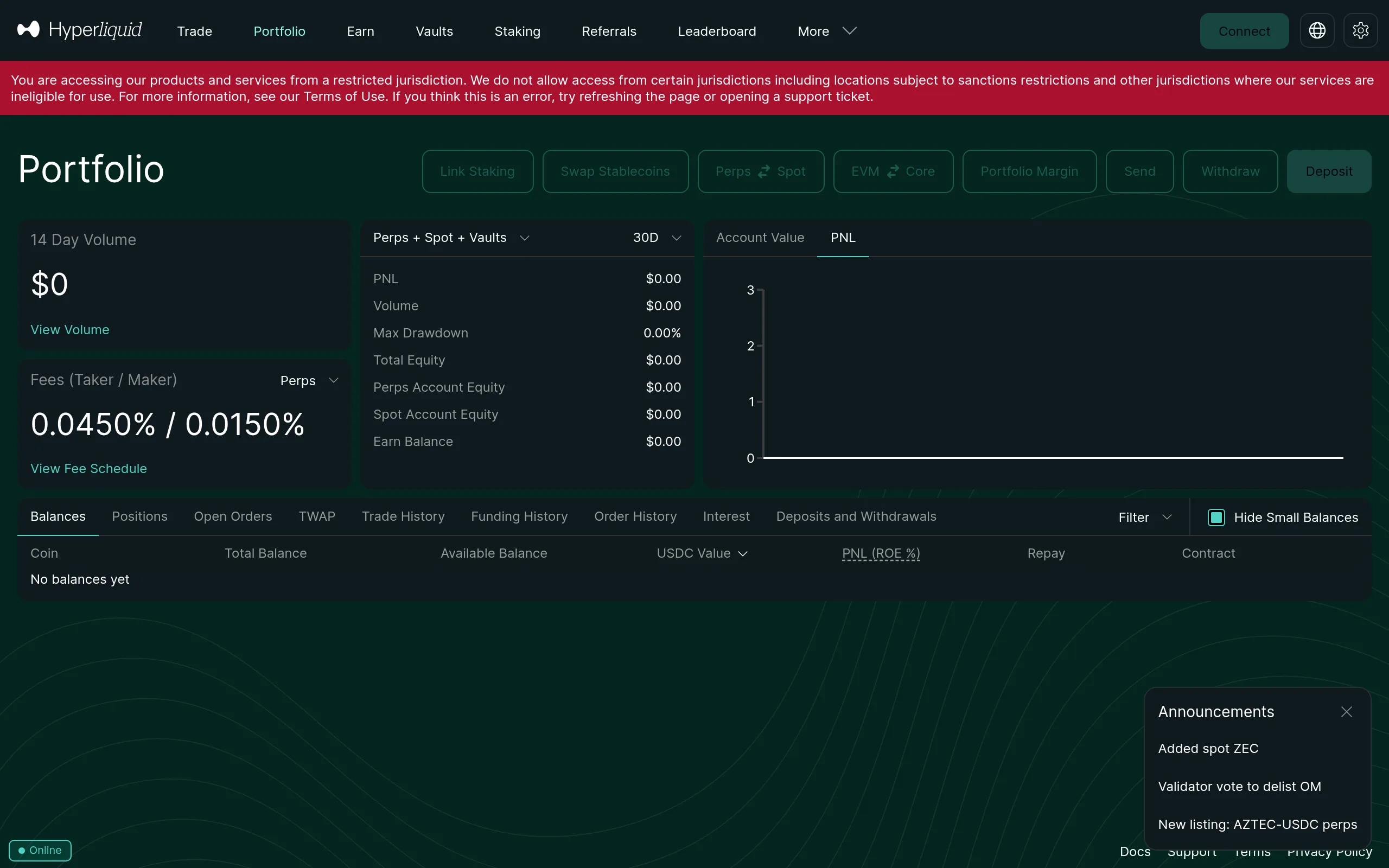
Withdrawals initiate from Hyperliquid's L1 chain, so there is no Arbiscan transaction to check until the bridge completes. Monitor the withdrawal status within the Hyperliquid interface.
Once the withdrawal bridge completes, the USDC will appear in your wallet on Arbitrum. You can verify by checking your wallet address on arbiscan.io and looking for an incoming USDC transfer.
Deposit Bridge Delays (Arbitrum to Hyperliquid)
If your deposit is taking longer than expected:
- Check Arbiscan - Confirm the transaction shows "Success"
- Wait 15 minutes - Most deposits finalize within this window even during congestion
- Hard refresh Hyperliquid - Press
Ctrl + Shift + Rto force a fresh load of the balance - Check your balance section - Deposits go to your Hyperliquid Account Balance, not your wallet balance on Arbitrum
Warning
Do not send a second deposit while the first is still pending. This will not speed things up and can make it harder to track which transaction is which. Wait for the first deposit to arrive before sending another.
If the deposit has not arrived after 30 minutes with a confirmed Arbiscan transaction:
- Check Hyperliquid's Discord for any bridge maintenance or known issues
- Try disconnecting and reconnecting your wallet on Hyperliquid
- Try a different browser to rule out cache issues
For a full deposit walkthrough, see our deposit guide.
Waiting on a Deposit? Set Up Your Fee Discount
While your bridge processes, make sure you applied our referral code. It gives you a 4% lifetime discount on all trading fees - you cannot add it after your first trade.
Apply 4% Fee DiscountWithdrawal Bridge Delays (Hyperliquid to Arbitrum)
Withdrawals follow the reverse path: Hyperliquid L1 → bridge contract → Arbitrum wallet. They tend to be slightly slower than deposits.
If your withdrawal is delayed:
- Check the withdrawal status in the Hyperliquid interface
- Ensure you have not set the withdrawal amount to exceed your available balance (available balance = total balance minus margin used in open positions)
- Wait at least 15 minutes - withdrawal processing can take longer during high-volume periods
- Check your Arbitrum wallet on arbiscan.io to see if the USDC has arrived but the Hyperliquid interface has not updated
Withdrawals can take 2-5 minutes normally and up to 15 minutes during congestion. Unlike deposits where you can check the sending transaction on Arbiscan, withdrawals initiate on Hyperliquid's L1 - so you are waiting for the bridge relay to push the funds to Arbitrum.
Tip
If you need funds on Arbitrum quickly, consider withdrawing during off-peak hours. Trading activity (and therefore bridge load) tends to be lower during Asian and European morning hours.
Ethereum to Arbitrum Bridge (Common Confusion)
This is a separate bridge that has nothing to do with Hyperliquid directly, but it causes frequent confusion.
Warning
The Ethereum-to-Arbitrum bridge and the Arbitrum-to-Hyperliquid bridge are two completely different systems. If you bridged from Ethereum mainnet to Arbitrum, your funds go to your Arbitrum wallet - not directly to Hyperliquid. You still need to deposit from Arbitrum into Hyperliquid as a separate step.
The full path from Ethereum to Hyperliquid:
- Ethereum mainnet → Bridge to Arbitrum (via bridge.arbitrum.io or a third-party bridge - takes 10-15 minutes)
- Arbitrum wallet → Deposit to Hyperliquid (via the Hyperliquid deposit button - takes 1-2 minutes)
These are two distinct transactions. If you bridged from Ethereum to Arbitrum and your funds have not appeared on Hyperliquid, check whether they arrived on Arbitrum first. Open your wallet, switch to the Arbitrum network, and check your USDC balance. If the USDC is there, you still need to complete step 2.
For a complete walkthrough of this process, see our bridge to Hyperliquid guide.
Tips to Avoid Bridge Delays
A few habits that minimize the chance of running into slow bridge times:
- Use default gas settings - Do not manually lower gas prices on bridge transactions. The default wallet gas estimate is usually appropriate for fast confirmation.
- Avoid peak congestion times - Major market events, token launches, and airdrop claims can spike Arbitrum network usage. If you are not in a rush, wait for activity to cool down.
- Keep some ETH on Arbitrum - You need ETH for gas on every deposit transaction. Running out of gas mid-process means a failed transaction. Keep at least $1-2 of ETH on Arbitrum at all times.
- Deposit from Arbitrum directly - If you are withdrawing from a centralized exchange, choose Arbitrum as the withdrawal network. This avoids the extra Ethereum-to-Arbitrum bridge step entirely and saves both time and gas fees.
- Bookmark Arbiscan - Having arbiscan.io bookmarked lets you quickly check transaction status instead of refreshing Hyperliquid repeatedly.
Info
The fastest deposit path is: centralized exchange → withdraw USDC on Arbitrum → deposit to Hyperliquid. This skips the Ethereum-to-Arbitrum bridge entirely and typically completes in under 5 minutes total.
Bridge Complete? Trade with Lower Fees
Pair your Hyperliquid account with our referral code for a permanent 4% trading fee discount. Every fraction of a percent adds up over hundreds of trades.
Start Trading - Save 4%Related Guides
- How to Deposit USDC to Hyperliquid - Step-by-step deposit walkthrough
- Bridge to Hyperliquid - Full bridging guide from Ethereum and other chains
- Deposit Not Showing? - If your deposit completed but is not visible
- Withdrawal Not Working? - Fix stuck or pending withdrawals
Frequently Asked Questions
Deposits from Arbitrum to Hyperliquid typically take 1-2 minutes. During periods of network congestion on either Arbitrum or Hyperliquid's L1, this can extend to 5-15 minutes. Transfers rarely take longer than 15 minutes. If your bridge has been pending for over 30 minutes, check the transaction on arbiscan.io and consult Hyperliquid's Discord for any network-wide issues.
Withdrawals from Hyperliquid back to Arbitrum typically take 2-5 minutes. The withdrawal process involves bridging from Hyperliquid's L1 back to Arbitrum, which can be slightly slower than deposits. During periods of high withdrawal volume, times may extend to 10-15 minutes.
No, these are two completely separate bridges. The Ethereum-to-Arbitrum bridge (at bridge.arbitrum.io) moves funds from Ethereum mainnet to the Arbitrum L2 network and can take 10-15 minutes. The Arbitrum-to-Hyperliquid bridge is built into the Hyperliquid interface and moves USDC from Arbitrum to Hyperliquid's L1 chain. You need to use both if your funds start on Ethereum mainnet.
Bridge transfers do not get lost. If the Arbitrum-side transaction shows Success on arbiscan.io, your funds are in the bridge contract and will be delivered to Hyperliquid. In extremely rare cases of bridge congestion or Hyperliquid network issues, delivery may be delayed but funds remain safe. If a transaction fails on Arbitrum (shows Failed on Arbiscan), the funds stay in your wallet and you can retry.
Independent resource: Hyperliquid Guide is an independent, third-party resource operated by Concept211. It is not affiliated with, produced by, reviewed by or endorsed by Hyper Foundation, Hyperliquid Labs or any other Hyperliquid-ecosystem entity. "Hyperliquid" and related names and marks belong to their respective owners and are used here only to identify the platform this site documents. Read the full disclaimer.
Not advice: Nothing on this site is legal, tax, financial or investment advice. Descriptions of regulatory status, tax treatment and market availability are general information that varies by jurisdiction and changes over time. Confirm anything that matters to you with a qualified professional and against primary sources. Trading perpetual futures involves substantial risk of loss, and past performance does not indicate future results.
Disclosure: this site contains referral links. Signing up through the 4% lifetime fee discount link earns us a share of the trading fee Hyperliquid already charges, at no extra cost to you.
Ready to Start Trading?
Join Hyperliquid with our referral link and get a 4% lifetime fee discount. No KYC, no email - just connect your wallet and trade.
Start Trading - Save 4%