Hyperliquid Withdrawal Not Working? How to Fix Pending Withdrawals
Table of Contents
Hyperliquid withdrawals go from the Hyperliquid L1 chain back to your wallet on Arbitrum. They typically take under 2 minutes and cost a flat 1 USDC fee. If yours is stuck, this guide walks through every fix.
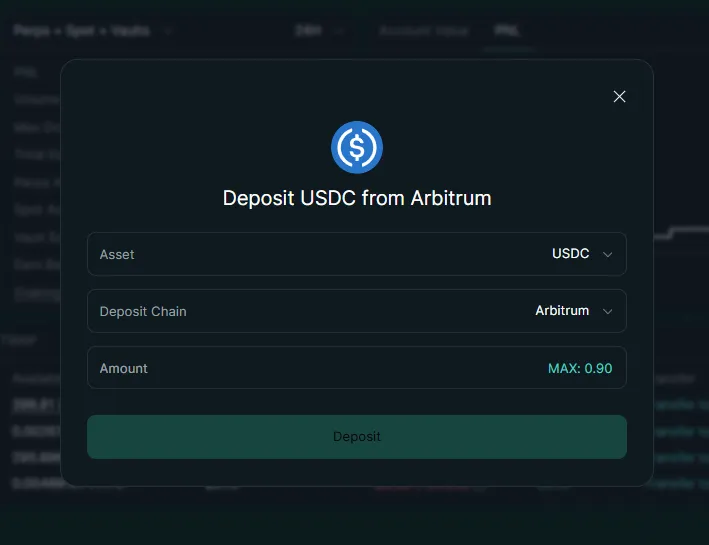
How to Withdraw from Hyperliquid
If you have not withdrawn before, here is the standard process:
Open the Portfolio page
Click Portfolio in the top navigation on app.hyperliquid.xyz.
Click Withdraw
Select the Withdraw tab in the balance section.
Enter the amount
Type the USDC amount you want to withdraw. Remember the 1 USDC fee is deducted on top.
Confirm the transaction
Sign the withdrawal request in your wallet. Validators will process it within seconds to a few minutes.
Check your Arbitrum wallet
USDC arrives in your connected wallet on Arbitrum. Verify on arbiscan.io if needed.
Info
You do not need ETH on Arbitrum to withdraw. The 1 USDC fee is deducted from your Hyperliquid balance. For the complete walkthrough including destination networks, minimums, and HyperEVM transfers, see the withdraw USDC from Hyperliquid guide. For a full breakdown of all Hyperliquid costs, see our fee guide.
Troubleshooting: Why Your Withdrawal Is Not Working
1. Insufficient Available Balance
This is the most common cause. Your total balance and available balance are different. If you have open positions, much of your USDC is locked as margin.
Fix: Close or reduce positions to free up margin. Check the "Available" amount on your Portfolio page - that is what you can actually withdraw.
Warning
If you try to withdraw more than your available balance, the transaction will fail silently or show an error. Always check available balance first.
2. Withdrawal Stuck on "Pending"
Withdrawals require Hyperliquid validators to sign the transaction before it is relayed to Arbitrum. During high network activity, this can take longer than usual.
How long to wait: Give it up to 10 minutes. If your withdrawal has not arrived after 15 minutes, check your wallet address on arbiscan.io to see if the transaction has landed on Arbitrum.
Fix: In most cases, just wait. Validator signing delays resolve on their own. If the withdrawal is still pending after 15 minutes, try refreshing the page with Ctrl + Shift + R and check Hyperliquid's Discord for any network announcements.
3. Forgot About the 1 USDC Fee
If you try to withdraw your entire balance, the transaction may fail because there is not enough left to cover the 1 USDC withdrawal fee.
Fix: Withdraw your balance minus 1 USDC. For example, if you have 500 USDC available, withdraw 499 USDC.
4. Wallet or Browser Issues
Sometimes the withdrawal button does not respond, or the transaction fails to submit to your wallet for signing.
Fix:
- Hard refresh the page (
Ctrl + Shift + R) - Disconnect and reconnect your wallet
- Try a different browser
- Clear cache for
app.hyperliquid.xyz
5. Withdrawing to a Different Address
Hyperliquid does not support withdrawals to arbitrary addresses. Funds always go back to the wallet you connected with.
Fix: Withdraw to your connected wallet on Arbitrum, then send from there to the destination address. If you need to move funds to a centralized exchange, deposit to the exchange from your Arbitrum wallet after the withdrawal completes.
How to Verify Your Withdrawal on Arbiscan
If your withdrawal seems stuck, Arbiscan is the best way to check its status:
- Open arbiscan.io
- Paste your wallet address in the search bar
- Look for an incoming USDC transfer from the Hyperliquid bridge contract
- If the transfer is there, your withdrawal succeeded - your wallet or browser may just need a refresh
If Arbiscan shows the USDC in your wallet, the withdrawal worked. Refresh your wallet app or reconnect to see the updated balance.
If there is no incoming transaction on Arbiscan, the withdrawal is still being processed by validators on the Hyperliquid side. Wait a few more minutes and check again.
Related Guides
- How to Deposit USDC to Hyperliquid - Full deposit walkthrough
- Deposit Not Showing? - Troubleshoot missing deposits
- Bridge to Hyperliquid - Bridging funds from other chains
- Hyperliquid Fees Explained - Complete fee breakdown including withdrawal costs
Trade with Lower Fees
Sign up through our referral link and get a 4% discount on all Hyperliquid trading fees for your first $25M of volume.
Start Trading - Save 4%Frequently Asked Questions
Most withdrawals complete within seconds to a few minutes. Validators must sign the transaction, which typically takes under 2 minutes. During periods of high network activity, withdrawals may take up to 10 minutes. If your withdrawal has not arrived after 15 minutes, check the transaction status on arbiscan.io.
Hyperliquid charges a flat 1 USDC withdrawal fee per transaction. This covers the Arbitrum validator gas costs. You do not need ETH on Arbitrum to withdraw - the fee is deducted from your USDC balance on Hyperliquid.
Common causes include insufficient balance after accounting for the 1 USDC fee, open positions using your margin (check your available balance vs total balance), or network congestion. Make sure you have enough available USDC that is not allocated as margin for open positions.
No. Withdrawals on Hyperliquid go to the wallet address you connected with. You cannot send funds to a different address directly. To send funds elsewhere, withdraw to your connected wallet on Arbitrum first, then transfer from there.
Independent resource: Hyperliquid Guide is an independent, third-party resource operated by Concept211. It is not affiliated with, produced by, reviewed by or endorsed by Hyper Foundation, Hyperliquid Labs or any other Hyperliquid-ecosystem entity. "Hyperliquid" and related names and marks belong to their respective owners and are used here only to identify the platform this site documents. Read the full disclaimer.
Not advice: Nothing on this site is legal, tax, financial or investment advice. Descriptions of regulatory status, tax treatment and market availability are general information that varies by jurisdiction and changes over time. Confirm anything that matters to you with a qualified professional and against primary sources. Trading perpetual futures involves substantial risk of loss, and past performance does not indicate future results.
Disclosure: this site contains referral links. Signing up through the 4% fee discount link earns us a share of the trading fee Hyperliquid already charges, at no extra cost to you.
Ready to Start Trading?
Join Hyperliquid with our referral link and get a 4% fee discount on your first $25M of volume. No KYC, no email - just connect your wallet and trade.
Start Trading - Save 4%