Hyperliquid CCXT Guide: API Wallet Setup, Orders, and the Two Defaults to Change
Table of Contents
- What CCXT gives you on Hyperliquid
- Install
- Credentials: main address plus an API wallet key
- A minimal Python example
- The JavaScript equivalent
- Market orders are simulated
- Testnet
- The two defaults most users never notice
- Default 1: a referral code, CCXT1
- Default 2: a 0.01% builder fee
- The recommended constructor
- Check what your account actually has
- HIP-3 markets and isolated margin
- Common errors
- If you want a complete bot instead
- Before you run it on mainnet
 CCXT
CCXT is the open-source library that gives you one trading interface across many exchanges, and it has a Hyperliquid class built in. If you already know CCXT from other venues, you can place your first  order in about ten lines. This guide covers setup with an API wallet, the code in Python and JavaScript, testnet, HIP-3 markets, and two defaults that most users never notice: a referral code and a builder fee that CCXT applies on its own. We are not affiliated with Hyperliquid or CCXT, and nothing here is financial advice or a promise of returns.
options.ref and builderFee in the constructor, before load_markets() runs. A referrer can never be changed once it is set.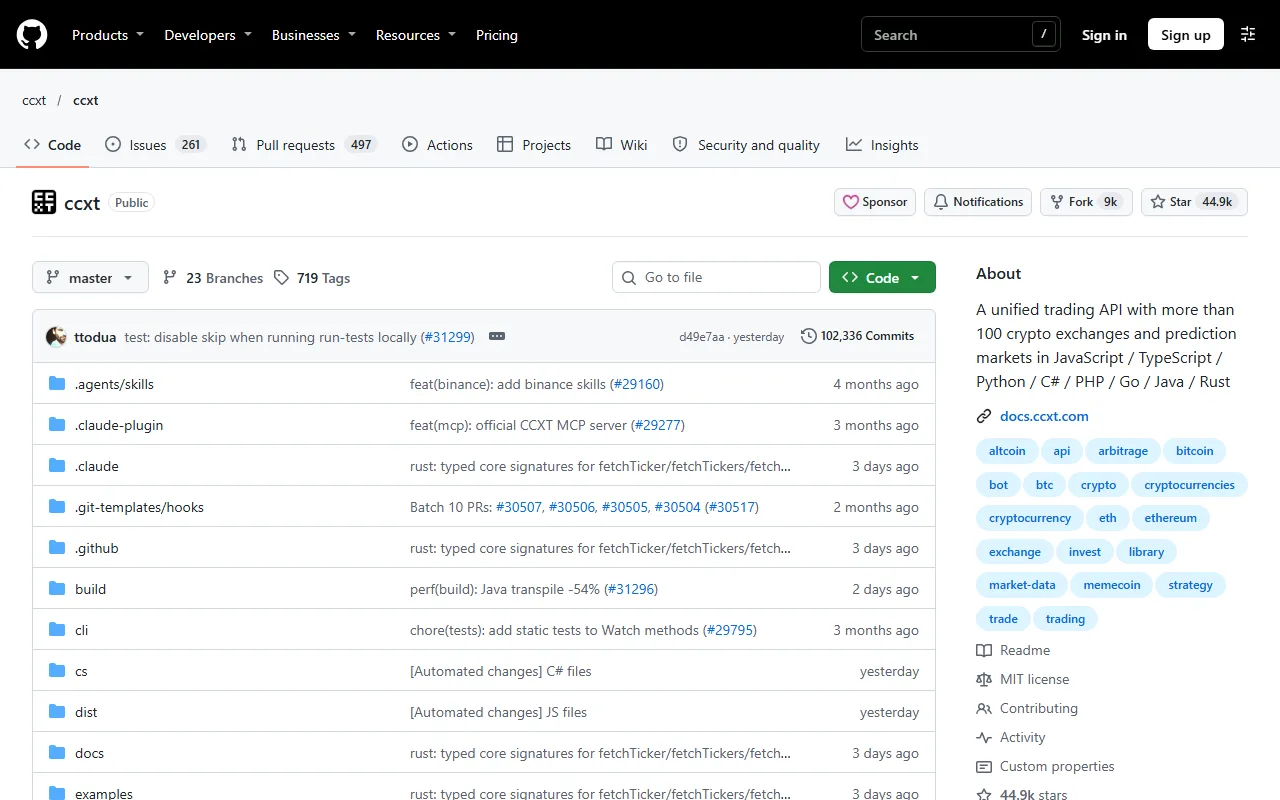 The CCXT repository on GitHub
Source: GitHub, used under fair use for educational purposes
What CCXT gives you on Hyperliquid
CCXT wraps the Hyperliquid REST API behind its unified methods: fetch_ticker, fetch_order_book, fetch_balance, fetch_positions, create_order, cancel_order and the rest. It handles the part that is awkward to write yourself, which is signing the exchange actions with your key. The exchange id is hyperliquid, and the same code shape works in Python and JavaScript.
The appeal is one interface you may already know, and easy porting if you trade on several venues. The trade-off is that it is a general library, and, as we cover below, it ships with defaults that benefit the library's maintainers. For the raw endpoints, our Hyperliquid API guide covers what CCXT calls underneath.
Install
# Python
pip install ccxt

# JavaScript / Node
npm install ccxt
We checked the examples below against ccxt 4.5.93 from PyPI on November 21, 2026.
Credentials: main address plus an API wallet key
CCXT needs two values for Hyperliquid:
walletAddress: the address of your main Hyperliquid account.privateKey: the private key that signs. Use an API wallet key, not your main key.
Create an API wallet on app.hyperliquid.xyz under More, then API (the page lives at app.hyperliquid.xyz/API). An API wallet can sign orders and cancels for your main account but cannot withdraw funds, so a leaked key can mess with your positions but cannot empty the account. Two details trip people up. The address you give CCXT is still the main account's, not the API wallet's. And balances always belong to the main address, so query them there.
If you want a script that creates the API wallet for you, our starter repo has python -m scripts.setup_wallet, covered near the end. Keep keys in environment variables, never in code you commit.
A minimal Python example
This loads markets, reads a price, places a post-only limit order well below the market, then cancels it. Run it on testnet first (next section shows the switch).
import os
import ccxt

ex = ccxt.hyperliquid({
    "walletAddress": os.environ["HL_MAIN_ADDRESS"],
    "privateKey": os.environ["HL_API_WALLET_KEY"],
    # Read the section below before you run this against mainnet:
    "options": {"ref": "YOURCODE", "builderFee": False},
})

ex.load_markets()

symbol = "BTC/USDC:USDC"          # perp. Spot looks like "PURR/USDC"
ticker = ex.fetch_ticker(symbol)
mid = ticker["last"]

# A post-only buy 5% below the market, so it rests instead of filling.
price = float(ex.price_to_precision(symbol, mid * 0.95))
amount = float(ex.amount_to_precision(symbol, 15 / price))   # about $15 notional

order = ex.create_order(symbol, "limit", "buy", amount, price, {"postOnly": True})
print(order["id"], order["status"])

ex.cancel_order(order["id"], symbol)
Symbols follow CCXT's unified format. Perpetuals are BTC/USDC:USDC and spot pairs look like PURR/USDC. The postOnly flag maps to Hyperliquid's Alo time-in-force, which is rejected instead of crossing the book. Our order types guide explains Alo next to the other options.
The price_to_precision and amount_to_precision calls matter more here than on many exchanges, because Hyperliquid rejects prices and sizes with the wrong precision. More on that in the errors section.
The JavaScript equivalent
import ccxt from 'ccxt';

const ex = new ccxt.hyperliquid({
  walletAddress: process.env.HL_MAIN_ADDRESS,
  privateKey: process.env.HL_API_WALLET_KEY,
  options: { ref: 'YOURCODE', builderFee: false },
});

await ex.loadMarkets();

const symbol = 'BTC/USDC:USDC';
const { last } = await ex.fetchTicker(symbol);
const price = Number(ex.priceToPrecision(symbol, last * 0.95));
const amount = Number(ex.amountToPrecision(symbol, 15 / price));

const order = await ex.createOrder(symbol, 'limit', 'buy', amount, price, { postOnly: true });
console.log(order.id, order.status);
await ex.cancelOrder(order.id, symbol);
Market orders are simulated
Hyperliquid has no native market order. CCXT simulates one by sending a limit order priced away from the mid, so it fills like a market order, and per CCXT's source the default allowed slippage is 5% (defaultSlippage is 0.05). It also needs a price reference to compute that limit price, so pass the current price as the price argument when you create a market order. 5% is a wide cushion, so check the slippage setting before you send size, or use a limit order instead. A market-style order also pays the taker fee, 0.045% at the base perp tier. Our fees guide has the full schedule.
Testnet
Hyperliquid runs a testnet at app.hyperliquid-testnet.xyz with a faucet at app.hyperliquid-testnet.xyz/drip, which needs a past mainnet deposit on the same address. In CCXT, switch with:
ex.set_sandbox_mode(True) # call this before load_markets()
In JavaScript it is ex.setSandboxMode(true). Everything after that talks to testnet. Test your code there, including the referral and builder fee behavior below, before it touches real money.
The two defaults most users never notice
CCXT is free, and these defaults are one way its maintainers get supported. The catch is that they are on unless you turn them off, and one of them is permanent. All of this comes from CCXT's hyperliquid.ts source on master as of November 21, 2026.
Default 1: a referral code, CCXT1
On the first private action, CCXT signs a setReferrer action with the code in options['ref'], whose default is CCXT1. The call lives in initializeClient(), and load_markets() triggers it whenever credentials are set, so it happens before you place a single order. It also runs from create_order, cancel_orders and a few others, once per exchange instance. Errors are swallowed, so you will not see a message either way.
This matters because of how Hyperliquid referrals work:
- Any code gives you the same deal. Every referral code gives the trader 4% off fees on their first $25M of volume. CCXT1 and any other code are identical on your side.
- The choice is who gets the referrer share. Hyperliquid pays the referrer a share of the fees you pay. It never costs you more. With CCXT1 that share supports CCXT's maintainers. With another code, it goes to whoever owns that code.
- A referrer is permanent. Once one is set, it can never be changed. We measured on testnet on November 21, 2026 that
setReferrerworks on an account that has traded up to about $10,000 lifetime volume (accepted at $42 and $5,990, refused at $12,877). Past that the API still answers ok but records the code as N/A, permanently.
So if your account has no referrer and is under that window, the first time a default CCXT instance loads markets with your keys, CCXT tries to lock in CCXT1. If you already used a referral link when you signed up, nothing changes.
Our disclosure: CONCEPT211 is Hyperliquid Guide's own referral code, and we receive a share of fees from accounts that use it. Using ours is optional. If you would rather support CCXT, leave the default alone, or set any other code you like. Our referral page explains how we handle it.
Default 2: a 0.01% builder fee
options.builderFee defaults to True. On init, CCXT calls approveBuilderFee for its builder address 0x6530512A6c89C7cfCEbC3BA7fcD9aDa5f30827a6 with a maximum rate of options.feeRate, default 0.01%. It then attaches that builder to every order with a fee of 1 basis point, which is 0.01% of the order's notional value. Our builder fees explainer covers how builder codes work in general.
Here is what 0.01% adds to the exchange's own fees, using base-tier rates:
| Fill type | Exchange fee | With CCXT builder fee | Increase |
|---|---|---|---|
| Native perp taker | 0.045% | 0.055% | about 22% more |
| Native perp maker | 0.015% | 0.025% | about 67% more |
| Growth-mode HIP-3 maker (most xyz markets) | about 0.003% | about 0.013% | more than 4 times the exchange fee |
On a $1,000 taker fill, the builder fee is $0.10 on top of $0.45. For an occasional manual order that is small. For a bot that quotes both sides all day on cheap maker rates, it can be most of your cost, and you can model it in advance with the arithmetic above. Our growth mode guide explains why those markets charge so little.
There is a wrinkle we saw in testing. approveBuilderFee is a user-signed action. In our testnet run with an API wallet key, the approval did not succeed, and CCXT set builderFee to False on its own, so no fee was charged. Per CCXT's source, a main key is meant to approve the fee, after which it applies to every order. Our testnet run with a main key and default settings still showed an approved fee of 0, and we did not test on mainnet, so check your own account with the query below rather than assuming either way.
With builderFee: False, CCXT still approves and attaches the builder, but at 0%. That is attribution only, with no fee to you.
The recommended constructor
import ccxt

ex = ccxt.hyperliquid({
    "walletAddress": "0xYourMainAddress",
    "privateKey": "0xYourApiWalletKey",   # from app.hyperliquid.xyz/API, cannot withdraw
    "options": {
        "ref": "CONCEPT211",    # any code you choose
        "builderFee": False,    # no 0.01% CCXT builder fee
    },
})
ex.load_markets()
Swap in whatever code you want for ref. We tested exactly this shape on testnet on November 21, 2026, with ccxt 4.5.93 and fresh funded accounts: a main key with a custom ref and builderFee: False left the account's referrer set to our testnet code and the approved builder fee for CCXT's builder at 0.
Why it must come first. load_markets() runs the referral logic when credentials are set, and the referrer is permanent. If you construct the exchange with just keys, call load_markets(), and only then try to set ex.options["ref"] = "YOURCODE", you are too late: CCXT1 may already be recorded. The same goes for builderFee, since the approval happens at init. Put both options in the constructor, and set them before you call anything else. Whichever code is recorded first sticks.
Check what your account actually has
You can verify both settings with two read-only calls to the public info endpoint. Use your main address.
# Who referred this account?
curl -s https://api.hyperliquid.xyz/info -H "Content-Type: application/json" \
  -d '{"type":"referral","user":"0xYourMainAddress"}'

# What builder fee has this account approved for CCXT's builder?
curl -s https://api.hyperliquid.xyz/info -H "Content-Type: application/json" \
  -d '{"type":"maxBuilderFee","user":"0xYourMainAddress","builder":"0x6530512A6c89C7cfCEbC3BA7fcD9aDa5f30827a6"}'
The first response includes a referredBy field, which holds the referrer's address and code if one is set. The second returns the maximum approved fee, and it returned 0 on our testnet account after we passed builderFee: False. If you have been running default CCXT on mainnet for a while, run both. For testnet, swap in api.hyperliquid-testnet.xyz.
Open a Hyperliquid Account
Accounts opened through our link get 4% off fees on your first $25M of volume. Test your CCXT setup on testnet before you fund anything.
Join HyperliquidHIP-3 markets and isolated margin
HIP-3 markets are builder-deployed perps, such as the trade.xyz markets. Their names carry the dex prefix, for example xyz:NVDA. Two things to watch with CCXT:
- Check the symbol. Load markets and look at
ex.marketsfor the exact unified symbol of the market you want, rather than guessing the format. - Most are isolated-margin only. On November 21, 2026, the live
metafor dexxyzlisted 147 markets, 125 flaggedonlyIsolated: true(118noCrossand 7strictIsolated), and 22 with no flag. You can check any dex with{"type":"meta","dex":"xyz"}. Our isolated vs cross margin guide explains the difference. Set isolated margin before you trade these markets instead of assuming cross.
Remember the fee line too. Most trade.xyz markets run growth mode at about 0.009% taker and 0.003% maker, which is exactly where the 0.01% builder fee hurts most.
Common errors
Rounding. Hyperliquid rejects prices with more than 5 significant figures, and perp prices with more than 6 minus the market's szDecimals decimal places. Sizes are limited to szDecimals decimals. Use CCXT's price_to_precision and amount_to_precision as in the examples rather than rounding by hand.
The $10 minimum. Orders must be worth at least $10 notional. A small test order of a few dollars will be rejected.
"ok" does not mean accepted. Hyperliquid's raw API returns a status of ok for the request even if the order inside it was rejected, with the reason in the per-order status. Read the order result, and fetch open orders to confirm the order rests. A post-only order that would cross the book is rejected the same way. Our API guide shows the response shapes.
Wrong address. If balances look empty, you probably passed the API wallet's address as walletAddress. It must be the main account's.
Unified accounts. If your account is on unified margin, positions and balances show up differently than on a standard account. See our unified accounts guide before you write balance logic.
If you want a complete bot instead
CCXT is a toolbox. If you want a working bot to read and modify, our starter bots repository is MIT-licensed Python that defaults to testnet. python -m scripts.setup_wallet creates an API wallet from your main key (the key is asked once and never saved) and writes a .env, and you can reuse that API wallet key in CCXT. python -m scripts.check_account shows your account and referral status. For transparency, the starter repo applies CONCEPT211 to accounts that have no referrer, prints that it did, and skips it if you set HL_REFERRAL=off.
For more, our grid bot guide walks through one of the starter bots, the bot setup guide covers the general workflow, and the build page shows how to have Claude Code or Codex write one for you.
Warning
Before you run it on mainnet
Put options.ref and builderFee in the constructor, before load_markets(), because the referrer is permanent and the builder approval happens at init. Then confirm both with the two info queries. Which code you use is your call, since every code gives you the same 4% on your first $25M.
Start With the Same 4% Discount
Open a Hyperliquid account through our link for 4% off fees on your first $25M of volume, then run your CCXT script on testnet first.
Join HyperliquidFrequently Asked Questions
Yes. CCXT has a built-in exchange class with the id hyperliquid in both the Python and JavaScript packages. It covers perpetuals and spot, limit and simulated market orders, cancels, balances, positions and testnet through set_sandbox_mode. Install it with pip install ccxt or npm install ccxt.
Per CCXT's source code, the default is CCXT1. When you create the exchange with credentials and load markets, CCXT signs a setReferrer action with the code in options.ref. If your account has no referrer yet and has traded under roughly $10,000, that becomes permanent. Pass your own code in the constructor to choose differently.
Pass options with builderFee set to false when you construct the exchange. By default CCXT approves and attaches a builder fee of 0.01% of notional on every order. With builderFee false it still attaches the builder for attribution but at a rate of 0%, so you are not charged the extra fee.
Use an API wallet. Set walletAddress to your main account address and privateKey to the API wallet's key. An API wallet can sign orders and cancels for the account but cannot withdraw funds, so a leaked key is far less damaging than a leaked main key.
Hyperliquid's raw API returns an ok status for the request even when an individual order inside it is rejected, with the reason in the per-order status. Common causes are prices with too many significant figures or decimals, an order under the $10 minimum notional, or a post-only order that would have crossed the book.
Independent resource: Hyperliquid Guide is an independent, third-party resource operated by Concept211. It is not affiliated with, produced by, reviewed by or endorsed by Hyper Foundation, Hyperliquid Labs or any other Hyperliquid-ecosystem entity. "Hyperliquid" and related names and marks belong to their respective owners and are used here only to identify the platform this site documents. Read the full disclaimer.
Not advice: Nothing on this site is legal, tax, financial or investment advice. Descriptions of regulatory status, tax treatment and market availability are general information that varies by jurisdiction and changes over time. Confirm anything that matters to you with a qualified professional and against primary sources. Trading perpetual futures involves substantial risk of loss, and past performance does not indicate future results.
Disclosure: this site contains referral links. Signing up through the 4% fee discount link earns us a share of the trading fee Hyperliquid already charges, at no extra cost to you.
Ready to Start Trading?
Join Hyperliquid with our referral link and get a 4% fee discount on your first $25M of volume. No KYC, no email - just connect your wallet and trade.
Start Trading - Save 4%