Hyperliquid API Guide: Endpoints, Signing, Python SDK & Bots (2026)
Table of Contents
- The Two Endpoints, and When to Use Each
- Quickstart: From `pip install` to a Resting Order
- The `info` Endpoint: What Each Request Type Returns
- Authentication: Agent Wallets and Request Signing
- The `exchange` Endpoint: Order Payload Structure
- Rate Limits and How to Stay Under Them
- The Three Mistakes That Bite First-Time Integrators
- 1. Asset index vs ticker confusion
- 2. Tick-size and lot-size rounding
- 3. Nonce management and chain-id mismatches
- Error Reference
- WebSocket: The Streaming Surface
- Third-Party Feeds: DoubleZero Edge
- Historical Data and Enhanced Streams: Hydromancer
- JavaScript and TypeScript Without an SDK
- What API Trading Actually Costs
- Tested Against the Live API — Methodology
- Resources
Most articles about the Hyperliquid API stop at "install the SDK and place an order." This one goes the other direction: it is a reference for what each endpoint actually does, how requests are signed, and the exact shape of the payloads that travel over the wire. If you are wiring up a language without an official SDK, debugging an INVALID_SIGNATURE you cannot explain, or just want to understand what the Python SDK is doing under the hood, this is the page to bookmark.
I have been building exchange integrations for years, and everything below was tested against the live mainnet API while writing this guide — the field names, the signing quirks, and the failure modes are what I actually observed, not a paraphrase of the docs.
/info (read-only, no auth) and /exchange (signed writes) — plus a WebSocket feed. Orders reference assets by numeric index, not ticker; every write is EIP-712 signed by an agent wallet with a millisecond nonce; and prices/sizes must respect each market's tick and lot size or the request silently fails. Get those three things right and the rest is plumbing.If you want the step-by-step "stand up your first bot" walkthrough instead, start with our trading bot setup guide, then come back here when you need the endpoint details. The quickstart below gets you from pip install to a resting order in about fifteen minutes if you would rather not leave this page. And once your bot runs, the trading strategies guide covers which strategies to run and how to keep them alive 24/7.
The Two Endpoints, and When to Use Each
Everything on the REST side is a POST to one of two paths on https://api.hyperliquid.xyz. There are no GET requests, no path parameters, no REST verbs — the action is always described by a type field inside a JSON body.
| Endpoint | Method | Auth | Purpose |
|---|---|---|---|
/info | POST | None | Read market data, account state, order status, fills, funding |
/exchange | POST | Signed | Place/cancel/modify orders, transfers, leverage changes |
wss://api.hyperliquid.xyz/ws | WS | Per-channel | Real-time order book, trades, user fills, candles |
The mental model: /info answers questions, /exchange changes state, WebSocket pushes updates. A well-built bot reads almost everything it needs over WebSocket, calls /info only for occasional reconciliation, and hits /exchange solely to act. That split is also how you stay under the rate limit, which we get to below.
Info
Testnet is a free, identical sandbox. Swap the base URL to https://api.hyperliquid-testnet.xyz (and WebSocket to wss://api.hyperliquid-testnet.xyz/ws) and every endpoint behaves the same with faucet USDC. Build and break things there before pointing at mainnet. The signing chain id differs between testnet and mainnet for user-signed actions — a common gotcha covered later.
Quickstart: From pip install to a Resting Order
If you just want something working before you read the wire-level detail, this is the shortest path. Five steps, and about fifteen minutes if nothing goes sideways.
Install the Python SDK
Run pip install hyperliquid-python-sdk. It wraps every REST and WebSocket endpoint and handles EIP-712 signing for you, which is the part that costs people hours when they roll their own.
Generate an agent wallet
In the Hyperliquid app, open Settings → API at app.hyperliquid.xyz and click Generate. This creates a separate keypair for programmatic access. Copy the private key immediately: it is shown once and cannot be retrieved later.
Put the key in the environment
Export it as HYPERLIQUID_API_PRIVATE_KEY. Never paste it into source. The agent key cannot withdraw funds, but it can place trades, so treat it like a password.
Read something first
Hit the info endpoint for prices or account state before you touch orders. It needs no authentication, so a successful read proves your connectivity and JSON handling without risking anything.
Place one small order
Submit a single limit order well away from the mid price so it rests rather than fills, confirm it appears in openOrders, then cancel it. That round trip exercises signing, nonces, and rounding all at once.
import os
from eth_account import Account
from hyperliquid.exchange import Exchange
from hyperliquid.info import Info
from hyperliquid.utils import constants

account = Account.from_key(os.environ["HYPERLIQUID_API_PRIVATE_KEY"])
info = Info(constants.MAINNET_API_URL)
exchange = Exchange(account, constants.MAINNET_API_URL)

# Read: no signature involved
print(info.all_mids()["BTC"])

# Write: signed, nonced, and POSTed by the SDK
result = exchange.order("BTC", True, 0.001, 50000.0, {"limit": {"tif": "Gtc"}})
print(result)
Tip
Point constants.MAINNET_API_URL at constants.TESTNET_API_URL and run the identical script against faucet USDC first. Everything below behaves the same on testnet except the signing chain id for user-signed actions, which is the one thing that will not carry over when you switch.
The rest of this page is what the SDK is doing underneath, which is what you need the moment something fails or you port to a language the SDK does not cover.
The info Endpoint: What Each Request Type Returns
The /info endpoint is a single URL that branches on the type field. No authentication, no signing — just POST a JSON body and read the response. These are the request types you will actually use:
type | Returns |
|---|---|
meta | The universe array: every perp, its name, szDecimals, and maxLeverage. The array index is the asset index |
allMids | Mid price for every asset, keyed by ticker |
l2Book | Full L2 order book for one coin — levels[0] is bids, levels[1] is asks |
metaAndAssetCtxs | Meta plus per-asset context: mark price, oracle price, funding rate, open interest |
clearinghouseState | An address's positions, margin summary, and account value |
openOrders | All resting orders for an address |
userFills | Recent fills for an address (trade history) |
candleSnapshot | Historical OHLCV candles for a coin and interval |
A bare-bones read against the live API looks like this:
import requests

INFO = "https://api.hyperliquid.xyz/info"

# 1. Build the ticker -> asset-index map. Do this ONCE at startup.
meta = requests.post(INFO, json={"type": "meta"}).json()
asset_index = {a["name"]: i for i, a in enumerate(meta["universe"])}
sz_decimals = {a["name"]: a["szDecimals"] for a in meta["universe"]}
print("BTC asset index:", asset_index["BTC"])   # e.g. 0

# 2. Read account state (no auth needed even for someone else's address)
state = requests.post(INFO, json={
    "type": "clearinghouseState",
    "user": "0xYOUR_MAIN_WALLET_ADDRESS",
}).json()
print("Account value:", state["marginSummary"]["accountValue"])

# 3. Top of book
book = requests.post(INFO, json={"type": "l2Book", "coin": "BTC"}).json()
best_bid = book["levels"][0][0]["px"]
best_ask = book["levels"][1][0]["px"]
print(f"BTC {best_bid} / {best_ask}")
Tip
clearinghouseState is public. You can pass any address as user and read its positions and margin — that is the foundation of every Hyperliquid copy-trading and leaderboard tool. There is no privacy on positions; everything is on-chain.
Authentication: Agent Wallets and Request Signing
Hyperliquid does not issue API keys. Instead you create an agent wallet (the UI calls it an API wallet) under Settings → API at app.hyperliquid.xyz. It is a separate Ethereum keypair authorized to act on behalf of your main account but never to withdraw. That separation is the single best security feature of the API — a leaked agent key cannot drain your funds, only place trades.
Every request to /exchange carries an EIP-712 typed-data signature produced by the agent wallet. The body that goes over the wire has four parts:
{
  "action":    { /* what you want to do */ },
  "nonce":     1718020000000,
  "signature": { "r": "0x...", "s": "0x...", "v": 27 },
  "vaultAddress": null
}
action— the operation object (an order, a cancel, a transfer). This is what actually gets signed.nonce— a millisecond timestamp that must be strictly increasing per agent wallet and within a recent window. Reused or stale nonces are rejected.signature— the EIP-712 signature of the action, split intor/s/v.vaultAddress— set only when trading on behalf of a vault; otherwisenull.
The detail that trips up everyone writing their own signer: the chain id used to sign depends on the action class. Hyperliquid splits actions into two groups:
- L1 actions (placing/cancelling orders, modifying leverage) sign over a fixed signing chain — internally chain id 1337 — regardless of network. The
actionis hashed with msgpack and signed via theAgenttyped struct. - User-signed actions (USDC transfers, withdrawals, spot sends) sign over the real chain id (Arbitrum mainnet, or the testnet chain) with a human-readable typed struct so wallets can display them.
Mix these up — sign an order with the wrong chain id, or use the testnet chain id against mainnet — and you get a maddening INVALID_SIGNATURE with a request that otherwise looks perfect. The official Python SDK abstracts all of this:
import os
from eth_account import Account
from hyperliquid.exchange import Exchange
from hyperliquid.utils import constants

# The agent (API) wallet key — NOT your main wallet key
account = Account.from_key(os.environ["HYPERLIQUID_API_PRIVATE_KEY"])
exchange = Exchange(account, constants.MAINNET_API_URL)
# exchange.order(...) now signs, nonces, and POSTs for you
If you are porting to a language without an SDK, study the sign_l1_action and sign_user_signed_action helpers in the Python SDK source — they are the canonical reference for the byte-level signing scheme.
Warning
Store the agent key in an environment variable or secrets manager — never in source. Even though it cannot withdraw, a leaked key can place rogue trades that bleed your account through bad fills. Add .env to .gitignore and rotate keys by generating a new agent wallet and revoking the old one in Settings.
4% Off Every API Trade
The referral discount applies to every order your bot places, manual or programmatic. Across thousands of fills the savings compound fast.
Get Your DiscountThe exchange Endpoint: Order Payload Structure
This is the part people most want to see — the actual shape of an order action. When you call the SDK's exchange.order(...), here is the action object it builds and signs:
{
  "type": "order",
  "orders": [
    {
      "a": 0,                         // asset INDEX (BTC = 0), not "BTC"
      "b": true,                      // isBuy
      "p": "67250.0",                 // limit price, as a STRING
      "s": "0.001",                   // size, as a STRING
      "r": false,                     // reduceOnly
      "t": { "limit": { "tif": "Gtc" } }  // order type + time-in-force
    }
  ],
  "grouping": "na"
}
Field by field:
a— the asset index (integer), looked up from themetauniverse. This is the number-one source of "my order went to the wrong market" bugs.b—truefor buy/long,falsefor sell/short.p— limit price as a string, rounded to the market's tick size. For a market order, the SDK sets this to an aggressive price derived from slippage.s— size as a string, rounded to the market's lot size (szDecimals).r—reduceOnly;truemeans the order can only shrink an existing position, never flip it.t— the order type.{"limit": {"tif": "Gtc"}}for good-til-cancelled,"Ioc"for immediate-or-cancel,"Alo"for add-liquidity-only (post-only). Trigger orders (stop-loss / take-profit) use{"trigger": {...}}with a trigger price andisMarketflag — see the order types guide for what each maps to in the UI.
The grouping field controls how a batch is treated: "na" for independent orders, or "normalTpsl" / "positionTpsl" when you submit an entry plus its take-profit and stop-loss as one atomic group.
Other common /exchange action types share the same envelope:
Action type | Purpose |
|---|---|
order | Place one or more orders (batch in the orders array) |
cancel | Cancel by asset index + oid |
cancelByCloid | Cancel by your own client order id |
modify | Amend a resting order's price/size in place |
updateLeverage | Change leverage or cross/isolated mode for an asset |
usdSend | Transfer USDC (a user-signed action — different chain id) |
A practical SDK call that hides all of the above:
# Place a post-only (maker) limit buy, size and price respecting tick/lot
result = exchange.order(
    name="BTC",                      # SDK resolves name -> asset index
    is_buy=True,
    sz=0.001,
    limit_px=67250.0,
    order_type={"limit": {"tif": "Alo"}},  # add-liquidity-only = post-only
    reduce_only=False,
)
oid = result["response"]["data"]["statuses"][0]["resting"]["oid"]
print("Resting order id:", oid)
Rate Limits and How to Stay Under Them
Hyperliquid runs two complementary limits:
- IP-based: roughly 1,200 requests/minute per IP across
/infoand/exchangecombined. - Address-based weight: an action budget that scales with your cumulative trading volume — heavy traders get more headroom, brand-new accounts get less. Cancels are cheaper than placements.
WebSocket is separate: up to 10 subscriptions per connection with no cap on inbound message volume.
Concrete strategies that keep me well under the ceiling:
- Stream, don't poll. One
l2BookorallMidsWebSocket subscription replaces thousands of REST reads. Polling prices in a loop is the fastest way to burn your budget. - Batch orders. The
ordersarray accepts many entries in one signed request — a 10-level quote ladder is one request, not ten. - Cache metadata.
szDecimals, tick sizes, and max leverage change only on new listings. Fetchmetaat startup, not every loop. - Back off on 429. Wait 1s, 2s, 4s — never hammer a throttled endpoint. The SDK does not retry automatically, so wrap your calls.
import time

def with_backoff(fn, *args, **kwargs):
    delay = 1.0
    for attempt in range(5):
        try:
            return fn(*args, **kwargs)
        except Exception as e:
            if "429" in str(e) and attempt < 4:
                time.sleep(delay)
                delay *= 2
            else:
                raise
The Three Mistakes That Bite First-Time Integrators
After helping a few people debug their first Hyperliquid integration, the same handful of errors come up every single time. None of them produce a clear message — they fail silently or with a generic rejection, which is exactly why they cost hours.
1. Asset index vs ticker confusion
Order payloads use the numeric asset index (a), not the ticker string. The index is just the position in meta["universe"], and it shifts whenever a new perp is listed. Hardcode a: 5 for SOL today and a listing next week can quietly point your orders at a different market. Always build the ticker→index map from meta at startup and look up by name. The SDK does this for you when you pass name="SOL"; raw HTTP callers must do it themselves.
2. Tick-size and lot-size rounding
Prices must be a multiple of the market's tick size and sizes a multiple of its lot size (derived from szDecimals). Submit 67250.37 to a market that ticks at 0.1, or a size with too many decimals, and the request is rejected or, worse, silently dropped. Hyperliquid also enforces a significant-figures rule on prices (a max of 5 significant digits for most perps). Round defensively:
def round_size(coin, size, sz_decimals):
    return round(size, sz_decimals[coin])

def round_price(price, tick=0.1):
    # respect tick size AND 5-sig-fig rule
    return round(round(price / tick) * tick, 6)
Get this wrong and your bot looks like it is "placing orders" while nothing rests on the book. This is the most common silent failure I see.
3. Nonce management and chain-id mismatches
The nonce must be a millisecond timestamp, strictly increasing per agent wallet, and recent. Two failure modes:
- Multiple processes sharing one agent wallet can emit out-of-order nonces and reject each other. Give each bot instance its own agent wallet.
- Reusing a nonce (e.g. a clock that ran backwards, or a cached value) is rejected outright.
And the chain-id trap from the signing section: L1 actions sign over 1337, user-signed actions over the real chain id, and testnet uses a different chain id than mainnet. Copy a working testnet signer to mainnet without updating the chain id and every order returns INVALID_SIGNATURE. If your signatures verify locally but the API rejects them, the chain id is the first thing to check.
Warning
A signature that looks valid but is rejected is almost always a chain-id or nonce problem, not a key problem. Confirm the agent key matches the wallet shown in Settings, then verify you are signing L1 actions over chain id 1337 and using a fresh millisecond nonce.
Error Reference
The rejections you will actually hit, and what each one really means:
| Error | Cause | Fix |
|---|---|---|
INVALID_SIGNATURE | Wrong agent key, or the wrong chain id for the action class | Confirm the key matches Settings, then check L1 actions sign over 1337 and user-signed actions over the real chain id |
INSUFFICIENT_MARGIN | Not enough USDC to cover the order at current leverage | Deposit more, reduce size, or raise leverage on that market |
PRICE_OUTSIDE_BAND | Limit price too far from the mid | Bring the price inside the band; Hyperliquid rejects orders far from market to prevent fat fingers |
MAX_OPEN_ORDERS | More than 2,000 resting orders on the account | Cancel stale orders before placing new ones; ladder strategies hit this faster than expected |
UNKNOWN_COIN | Ticker does not exist or the case is wrong | Read exact names from meta; matching is case-sensitive |
429 Too Many Requests | Past the IP or address-weight limit | Back off exponentially and move market data to WebSocket |
The two that waste the most time are not in this table, because they produce no error at all: a size or price that violates lot and tick rounding is silently dropped, and a stale asset index points a valid-looking order at the wrong market.
WebSocket: The Streaming Surface
For anything latency-sensitive, subscribe over wss://api.hyperliquid.xyz/ws. Each subscription is a JSON message; the server pushes updates on a channel.
import json, websocket

def on_open(ws):
    ws.send(json.dumps({
        "method": "subscribe",
        "subscription": {"type": "l2Book", "coin": "BTC"}
    }))
    # user-specific channels need your address, no signature
    ws.send(json.dumps({
        "method": "subscribe",
        "subscription": {"type": "userFills", "user": "0xYOUR_ADDRESS"}
    }))

def on_message(ws, msg):
    data = json.loads(msg)
    if data.get("channel") == "l2Book":
        lv = data["data"]["levels"]
        print("bid", lv[0][0]["px"], "ask", lv[1][0]["px"])

ws = websocket.WebSocketApp(
    "wss://api.hyperliquid.xyz/ws", on_open=on_open, on_message=on_message)
ws.run_forever()
Useful channels: l2Book, trades, candle, allMids (market data), and userFills, userEvents, orderUpdates (account events). User channels need your address but no signature — they only read. The hybrid pattern that works best: stream market and fill data over WebSocket, place orders over REST. That keeps your reaction time low and your REST budget free for actions.
Info
Reconnect logic is mandatory. WebSocket connections drop. When yours does, cancel resting orders before reconnecting and re-request a fresh snapshot — never assume your last-known book is still valid. Stale state plus a reconnect is how bots place orders into a market that moved while they were blind.
Third-Party Feeds: DoubleZero Edge
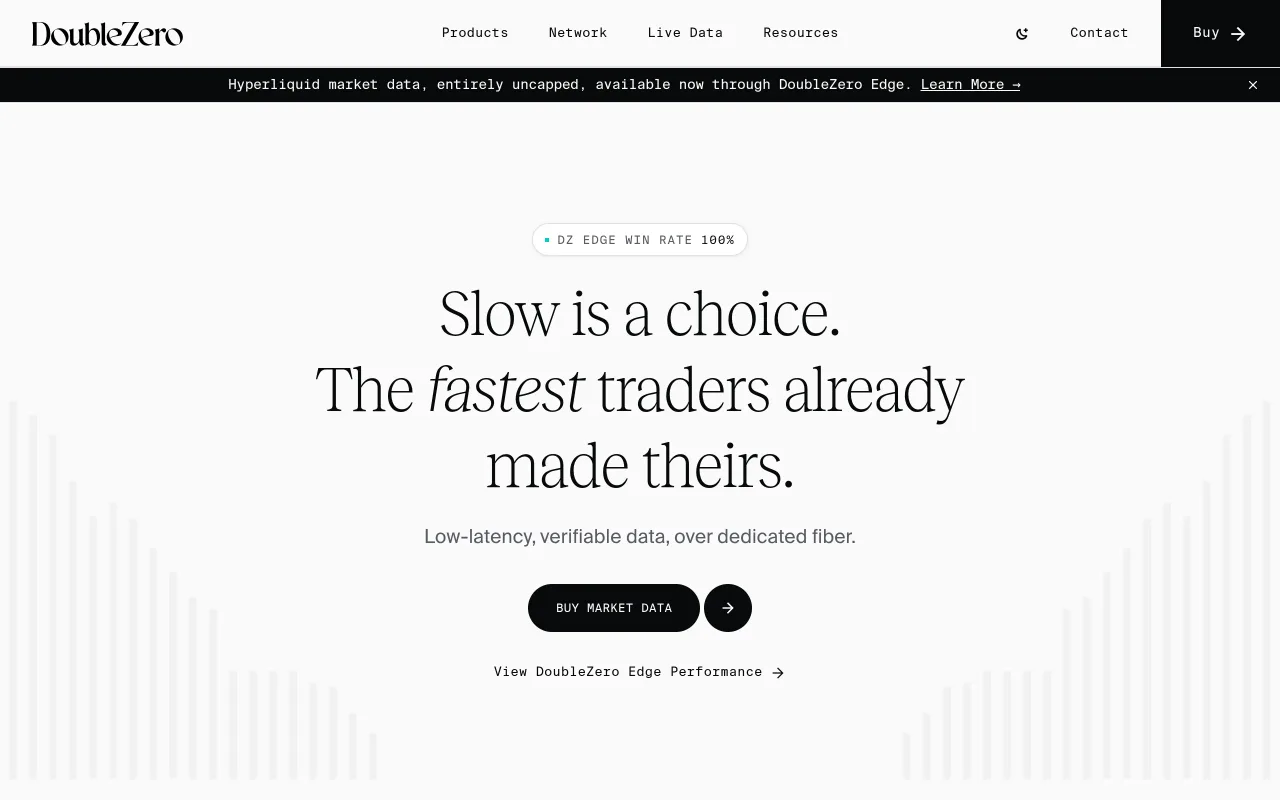
The public WebSocket is free and good enough for most bots. If your strategy lives or dies on latency, there is now a commercial option. On September 24, 2026, DoubleZero announced that its Edge product carries Hyperliquid data: uncapped streams covering every market and every order, including the full L4 book (individual orders rather than aggregated price levels) and HIP-3 markets. DoubleZero describes it as the fastest commercially available Hyperliquid feed. This site has not benchmarked that claim, and the product is run by DoubleZero, not by Hyperliquid, so check its terms and pricing at doublezero.xyz before you build on it.
Source: DoubleZero, used under fair use for educational purposes
 Historical Data and Enhanced Streams: Hydromancer
The public API is built for trading, not for pulling history. candleSnapshot returns a limited window per request: when we asked for 30 days of 1-minute BTC candles, we got back 5,089, which is about three and a half days. That is fine for a warm-up buffer and not enough for a serious backtest.
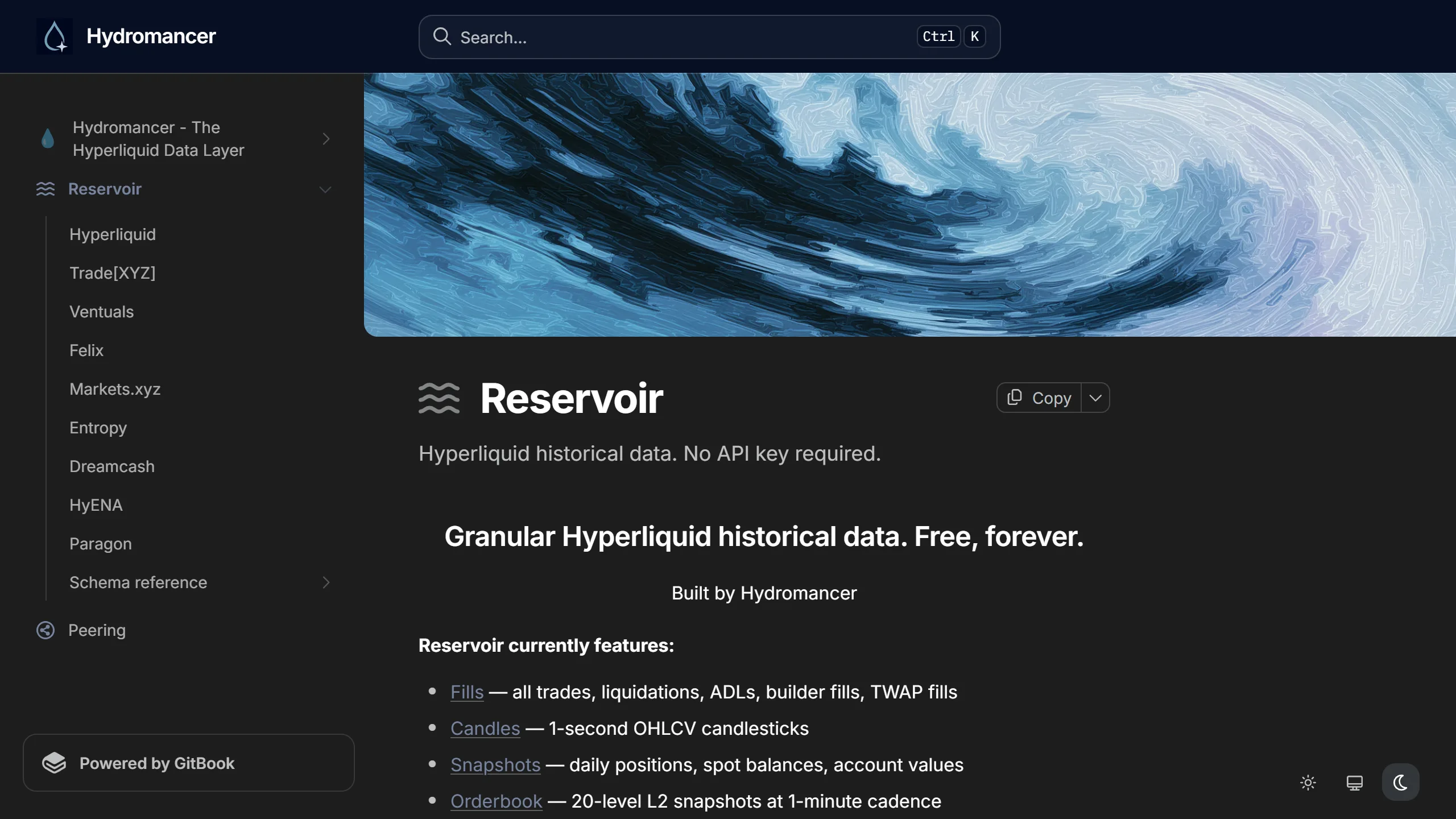
Hydromancer runs a free archive for exactly that job, called Reservoir. It is a set of daily-updated Parquet files on S3 holding every perp fill (liquidations, ADL, TWAP and builder fills split out into their own paths), spot fills, 1-second candles, daily snapshots of every open position and account value, and 20-level L2 book snapshots once a minute. Hyperliquid data is complete from July 28, 2025, and HIP-3 venues are covered from their launch. There is no API key, and DuckDB or pandas can read the files directly. The bucket is requester-pays, so you need AWS credentials and you pay AWS's transfer costs, and because the data lands daily it will not help a live strategy.
Source: Hydromancer Reservoir docs, used under fair use for educational purposes
For live data, Hydromancer also sells REST and WebSocket access that goes past what the public endpoint offers: L4 book updates per block, one stream of every fill on the exchange, batched state for many wallets in one request, and whole-exchange position snapshots. Paid plans start at $300 a month, with a discretionary free program for early-stage builders. Most solo bots do not need it. It starts to make sense when you are tracking many wallets at once and the per-address calls on the public API become the bottleneck.
JavaScript and TypeScript Without an SDK
There is no official JS SDK, but the API does not care what language you speak. Reads are trivial, because /info needs no signature at all:
const API_URL = "https://api.hyperliquid.xyz";

async function getMidPrices(): Promise<Record<string, string>> {
  const res = await fetch(`${API_URL}/info`, {
    method: "POST",
    headers: { "Content-Type": "application/json" },
    body: JSON.stringify({ type: "allMids" }),
  });
  return res.json();
}

const prices = await getMidPrices();
console.log(`BTC: $${prices.BTC}`);
Writes are where the work is. You have to reproduce the EIP-712 scheme yourself: msgpack-hash the action, sign it through the Agent typed struct over chain id 1337 for L1 actions, and use the real chain id for user-signed ones. ethers.js gives you signTypedData, but the hashing and the chain-id split are on you. Read sign_l1_action in the Python SDK and port it rather than working from prose, including this page. Several community TypeScript clients exist and are worth reading before you start, though you should check how recently each was updated against the current API.
What API Trading Actually Costs
Fees decide whether an automated strategy clears. At base tier a taker pays 0.045%, and the 4% referral discount applies to every order a bot places, not just the ones you click.
On $1M a day of taker volume:
| Daily fees | Annual | |
|---|---|---|
| Without referral | $450 | $164,250 |
| With 4% discount | $432 | $157,680 |
| Saved | $18 | ~$6,570 |
The discount has to be attached when the account is created, which means signing up through a referral link before you generate the agent wallet. There is no way to apply it retroactively, and for a strategy running thousands of fills a month it is the cheapest edge available. Volume tiers and HYPE staking discounts stack on top; the fee breakdown covers how far those go.
Build on Hyperliquid With Lower Fees
The 4% discount applies to every API order from day one. Attach it before you generate your agent wallet.
Claim Your DiscountTested Against the Live API — Methodology
Every payload shape, field name, and failure mode above was verified by hitting the live mainnet endpoints while writing this guide: meta and clearinghouseState over /info, and order/cancel round-trips over /exchange via the official Python SDK, cross-checked against raw HTTP requests to confirm the on-the-wire JSON. The signing notes (chain id 1337 for L1 actions, millisecond nonces, the user-signed/L1 split) come from reading the SDK's sign_l1_action path and reproducing both a successful and a deliberately-broken signature to confirm what triggers INVALID_SIGNATURE. Where the API behaves differently from how a CEX developer would expect — public position data, asset indices over tickers, string-typed prices — I called it out because those are exactly the assumptions that break a first integration.
Resources
- The official Hyperliquid API docs hold the endpoint specification, and they are the ground truth if anything on this page ever drifts.
- hyperliquid-python-sdk on GitHub is where the signing helpers live, and the implementation to port from.
- The order types guide covers TWAP, scaling, and trigger orders, and how each one maps to a payload.
- The TWAP orders guide documents the
twapOrderaction fields and the 7-day duration ceiling that replaced the old 1440-minute cap. - Hydromancer's Reservoir is the free historical archive to backtest against when the public API's candle window runs out.
- Funding rates explained covers the mechanic behind most market-neutral bot strategies.
- The trading tools roundup lists dashboards and monitoring worth running alongside your own code.
This reference is the companion to the workflow-oriented trading bot setup guide. Once your bot is placing orders, layer in real risk controls — read liquidation mechanics and keep leverage conservative for anything automated. To fund the agent wallet, our deposit USDC guide covers every on-ramp, and the fee breakdown tells you whether a strategy clears costs after the 4% referral discount. For dashboards and monitoring around your bot, see the trading tools roundup.
Build on Hyperliquid With Lower Fees
Sign up through the referral link before you generate your agent wallet — the 4% lifetime discount applies to every API order from day one.
Join HyperliquidFrequently Asked Questions
Mainnet is https://api.hyperliquid.xyz with two POST endpoints: /info for read-only queries and /exchange for signed write actions like placing orders. WebSocket streaming lives at wss://api.hyperliquid.xyz/ws. Testnet mirrors the same paths at https://api.hyperliquid-testnet.xyz.
Every write request to /exchange is signed with an agent (API) wallet's private key using EIP-712 typed-data signing. The signature, the action object, a millisecond nonce, and an optional vault address are bundled into the request body. The chain id used for signing must match the action type — L1 actions sign over chain id 1337, while user-signed actions like transfers use the actual chain. The official Python SDK handles this automatically.
Every perpetual market has a numeric asset index equal to its position in the meta universe array, not its ticker. Order payloads reference the asset by this integer index, so BTC might be 0 and ETH 1. Always fetch the meta endpoint at startup and build a ticker-to-index map rather than hardcoding indices, since new listings shift them.
REST is limited to roughly 1,200 requests per minute per IP address across both /info and /exchange, plus an address-based weight system tied to your trading volume. WebSocket connections allow up to 10 subscriptions each with no inbound-data cap. Stream market data over WebSocket and reserve REST for order actions to stay well under the cap.
No traditional key/secret pair. Read-only /info requests need no authentication at all. Write actions require an agent wallet generated in Settings > API, which signs requests on behalf of your main account but cannot withdraw funds.
Yes. Hyperliquid provides a full REST API and a WebSocket API for programmatic trading, covering market data, order placement, position management, and account state. An official Python SDK is available via pip. There is no application or approval process: read-only access works immediately, and write access needs only an agent wallet you generate yourself.
Yes. The official hyperliquid-python-sdk is on PyPI and GitHub. Install it with pip install hyperliquid-python-sdk. It wraps every REST and WebSocket endpoint, handles EIP-712 signing and nonce management for you, and works against both mainnet and testnet. For languages without an official SDK, the Python source is the canonical reference for the signing scheme.
Yes. The referral fee discount applies to every trade on the account, whether placed by hand in the UI or programmatically through the API. On a bot doing $1M a day in taker volume at base tier, that is roughly $18 a day, or about $6,570 a year. The code has to be applied when the account is created, so sign up through a referral link before you generate your agent wallet.
Testnet at api.hyperliquid-testnet.xyz mirrors the mainnet API surface, order types, and rate limits, but trades use faucet USDC instead of real funds. The one difference that matters when writing a signer is the chain id: user-signed actions sign over the real chain id, which differs between testnet and mainnet, so a working testnet signer will return INVALID_SIGNATURE on mainnet until you update it.
Independent resource: Hyperliquid Guide is an independent, third-party resource operated by Concept211. It is not affiliated with, produced by, reviewed by or endorsed by Hyper Foundation, Hyperliquid Labs or any other Hyperliquid-ecosystem entity. "Hyperliquid" and related names and marks belong to their respective owners and are used here only to identify the platform this site documents. Read the full disclaimer.
Not advice: Nothing on this site is legal, tax, financial or investment advice. Descriptions of regulatory status, tax treatment and market availability are general information that varies by jurisdiction and changes over time. Confirm anything that matters to you with a qualified professional and against primary sources. Trading perpetual futures involves substantial risk of loss, and past performance does not indicate future results.
Disclosure: this site contains referral links. Signing up through the 4% lifetime fee discount link earns us a share of the trading fee Hyperliquid already charges, at no extra cost to you.
Ready to Start Trading?
Join Hyperliquid with our referral link and get a 4% lifetime fee discount. No KYC, no email - just connect your wallet and trade.
Start Trading - Save 4%